Fix Your Wi-Fi Dead Zones Before You Buy Anything
Most dead zones are a placement problem, not a hardware problem. Work through this before you spend money on mesh, and you may not need to.
By Connected Home Team · Updated 12 July 2026
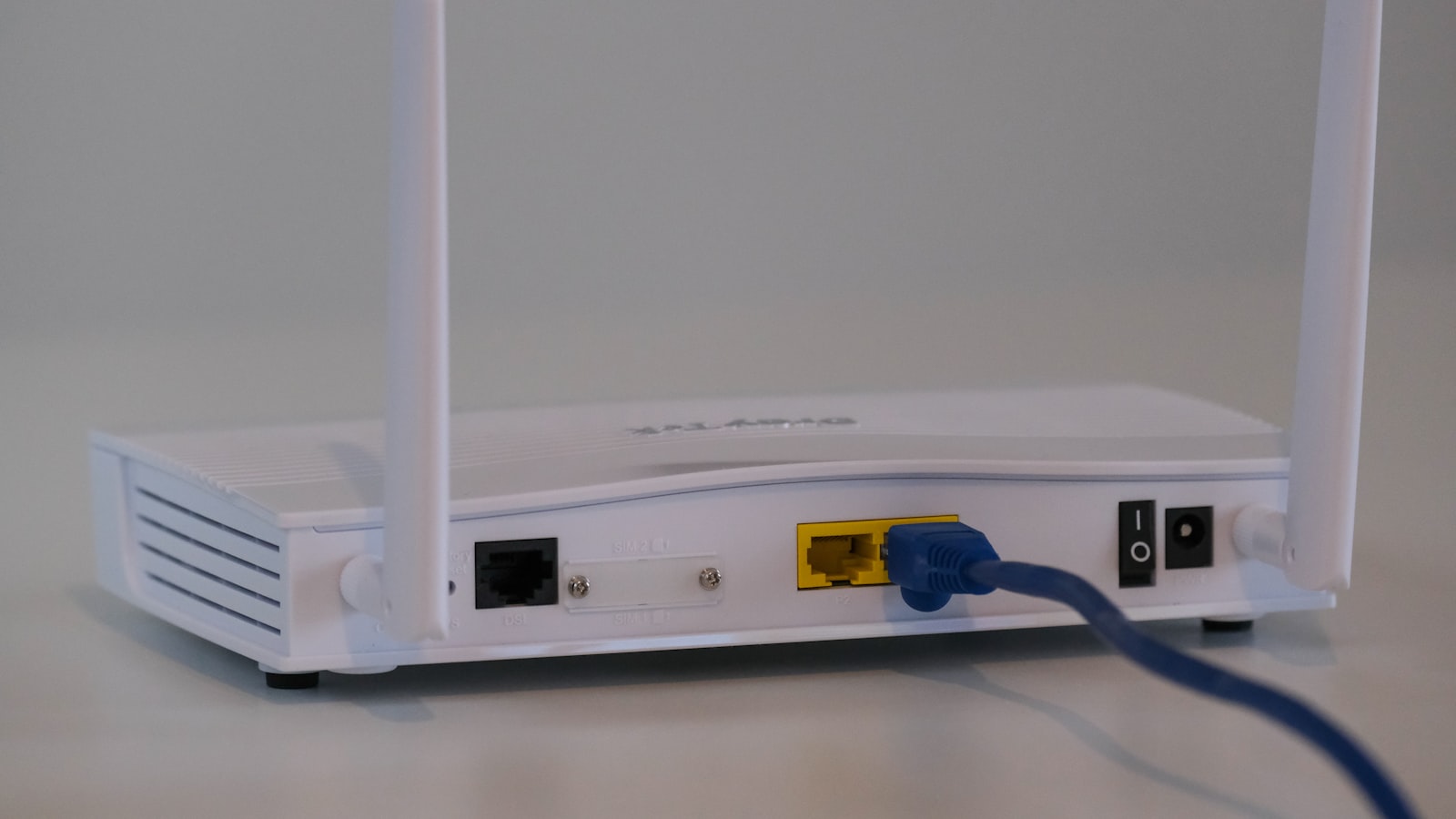
Before you spend anything on new hardware, try this. A large share of dead zones are caused by where the router sits and what stands between it and you. Those cost nothing to fix, and no amount of money spent on a faster router will fix them if you skip this step.
Work through the list in order. If you reach the end and still have a dead zone, then you have a hardware problem, and our mesh Wi-Fi guide is the next step.
1. Move the router. Really.
Most routers live where the cable enters the house. That is a decision made by an installer for their own convenience, and it is very often the worst possible spot: a corner of the building, at floor level, inside a cupboard, behind a television.
A router broadcasts roughly spherically. Put it in a corner and you are heating your neighbour's garden with half of it.
What actually helps:
Get it central. Not "central in the room it's in" but central in the area you want covered. If the house is long, the middle of the house beats the front room.
Get it high. On a shelf, not on the floor. Signal travels down more readily than up, and floor level puts every piece of furniture in the way.
Get it out in the open. A cupboard door, a media unit, and a stack of books all cost you signal. So does the back of a TV, which is both a large metal object and a source of interference.
Keep it away from the kitchen. Microwaves interfere with 2.4GHz directly. Large metal appliances reflect signal. A router on top of the fridge is a common and quietly terrible idea.
If the cable enters somewhere hopeless, a longer cable from the wall socket to a better router position is one of the cheapest upgrades available.
2. Work out what's actually in the way
Distance matters far less than what the signal has to pass through. In rough order of how badly they hurt:
Concrete, brick, and stone absorb a lot, and they are the reason older European housing needs more hardware than a timber-frame build of the same size. A single solid wall can cost you more than three plasterboard ones.
Metal is the worst of all, because it reflects rather than absorbs. Foil-backed insulation, which is common in modern builds and in loft conversions, can turn a room into a near-perfect Wi-Fi cage. So can a large mirror, which is glass over a metal backing. If one room is inexplicably dreadful and the rest of the house is fine, look for foil insulation or a big mirror on the wall facing the router.
Water, which means fish tanks, boilers, and to a surprising degree people. A room that works fine when empty and struggles when full of guests is not imagining it.
Underfloor heating and wire mesh in floors will block signal between storeys, which is why a node per floor is standard advice.
Trace a straight line from the router to the dead zone and ask what it goes through. The fix is often to move the router a metre to the left so the path avoids the chimney breast.
3. Split your bands, or don't
Your router broadcasts on 2.4GHz and 5GHz, and possibly 6GHz. They behave differently in a way that matters here.
2.4GHz travels further and penetrates walls better. It is also slower and far more congested, because every neighbour and every microwave is on it.
5GHz and 6GHz are much faster but much worse through obstacles. They are excellent in the same room and poor two walls away.
Most routers present these as one network and decide for you, which is usually right. But if a specific device in a far room keeps struggling, forcing it onto 2.4GHz can turn "unusable" into "fine". Slow and connected beats fast and dropped.
This is also why cheap dual-band kit sometimes outperforms expensive kit in an old house: it isn't better, it's just using the band that gets through the wall.
4. Change the channel
If you live in a flat or a terrace, you are sharing the airwaves with everyone around you, and on 2.4GHz there are very few non-overlapping channels. Routers pick automatically and often pick badly, then never reconsider.
A Wi-Fi analyser app on your phone will show you which channels your neighbours are crowding. Move to a quieter one in the router's settings. This is free, takes five minutes, and in a dense building it can be the whole fix.
The 5GHz and 6GHz bands are far less crowded, which is another argument for getting devices onto them where the walls allow it.
5. Try an extender before you try mesh
A basic extender rebroadcasts what it receives. That leads to the single most common mistake: people put the extender in the dead zone, where it dutifully picks up a terrible signal and rebroadcasts it, faithfully, as a terrible signal.
An extender belongs roughly halfway between the router and the dead zone, somewhere the signal is still healthy. Placed correctly they are a cheap and legitimate fix for one awkward room.
Their limits are real. They typically halve throughput, because they receive and retransmit on the same radio. They often create a second network name you have to switch between manually. They're a patch, and for one stubborn back bedroom, a patch is often all you need.
6. Now, and only now, consider mesh
If the router is in a good place, the obstacles are understood, the channel is clear, and you still cannot cover the house, you have a genuine coverage problem and mesh is the right answer. Multiple broadcast points, one network name, and devices handed between them as you move.
That's the point at which spending money actually buys you something, and our mesh guide for large homes covers which system to pick and how many nodes you'll need. Two things worth carrying over from it: buy by walls rather than by advertised square footage, and if you can run an Ethernet cable between the nodes, do, because a wired backhaul beats every wireless one.
The honest summary
Dead zones feel like a hardware failure and usually aren't. A router moved out of a cupboard, put on a shelf, and shifted two metres towards the centre of the house will fix more problems than most upgrades, and it costs nothing at all.
Do the free things first. If they work, you've saved the price of a mesh system. If they don't, you now know exactly what you're buying and why, which is a much better position than guessing.
Frequently asked questions
- Why do I have a Wi-Fi dead zone in one room?
- Almost always because of what sits between that room and the router. Solid masonry walls, concrete floors, foil-backed insulation, and large mirrors or metal appliances absorb or reflect Wi-Fi badly. A single dense obstacle in the direct path does more damage than a long distance through open air.
- Will a Wi-Fi extender fix a dead zone?
- Sometimes, and it is worth trying before you spend more. A cheap extender rebroadcasts the signal it receives, so it must be placed where the signal is still good, roughly halfway to the dead zone rather than inside it. Put it in the dead zone and it will faithfully rebroadcast a bad signal.
- Does moving the router really make a difference?
- It is usually the single biggest free improvement available. Routers are commonly installed wherever the cable enters the house, which is often a corner, a cupboard, or the floor. Central, high, and out in the open beats a corner at floor level by a wide margin.
- When do I actually need a mesh system?
- When you have moved the router, cleared the obstacles, and still cannot cover the space. Large homes and homes with solid internal walls genuinely need more than one broadcast point. If a single router in a good position covers everything, mesh will not make it faster.
Products mentioned
- TP-Link Deco BE85 (2-Pack)
The best all-round Wi-Fi 7 mesh for most large homes, and the one we would buy. It gets you most of the Orbi's real-world performance for a great deal less money. Check where you intend to put the nodes, because they have audible fans.
- Amazon eero Max 7 (2-Pack)
Buy it for the effortless app and the built-in smart-home hub, not for raw performance. Reviewers report it fading at distance, which is an awkward flaw in a system aimed at large homes, and most of them think the cheaper eero Pro 7 makes more sense.
More on networking
- TP-Link Deco BE85 vs Netgear Orbi 970: The Cheaper One Wins, With One Catch
We score the Deco BE85 8.0 and the Orbi 970 7.2. The cheaper system is the better buy for most large homes, but its fans are loud enough to change where you put it.
- Where to Put Mesh Wi-Fi Nodes (And the Fan Noise Nobody Warns You About)
Node placement rules that actually work, why your wall construction changes the answer, and the one siting mistake that will keep you awake at night.
- Best Mesh Wi-Fi for Large Homes and Thick Walls (2026)
Wi-Fi 7 mesh systems compared for big homes and thick walls. Our picks for coverage, smart-home setups, and value, plus how many nodes you actually need.
Affiliate disclosure: we may earn a commission when you buy through links on this page at no extra cost to you. Read our methodology.