Do You Actually Need a Smart Home Hub in 2026?
Matter was supposed to kill the hub. It didn't, quite. Here's when a hub genuinely earns its place, and when you're better off without one.
By Connected Home Team · Updated 12 July 2026
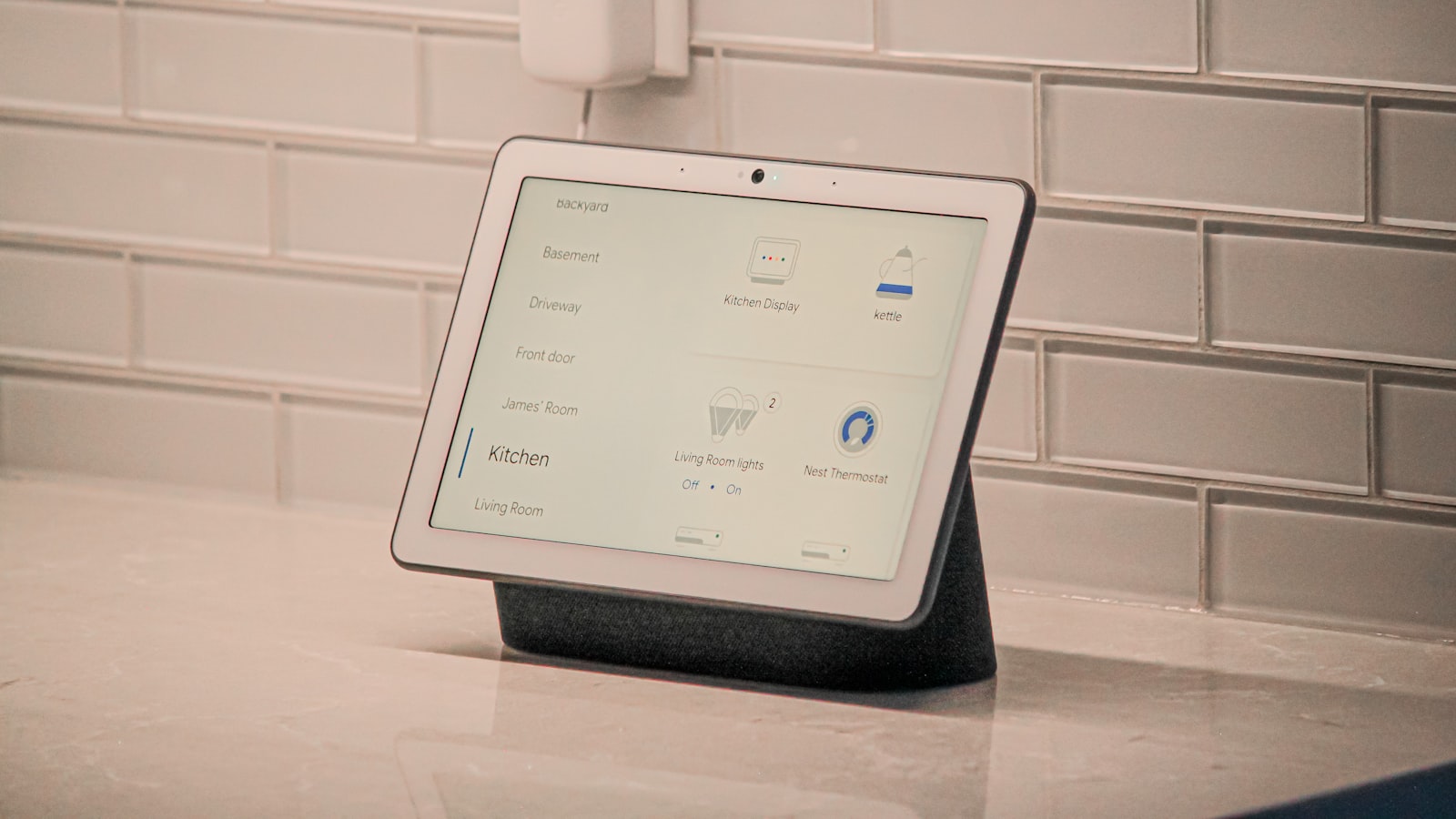
For years the answer was easy. Yes, you need a hub, because nothing worked with anything else. Then Matter arrived, promised to fix the mess, and a lot of people concluded that hubs were finished.
They aren't, but the reason to own one has changed. It's no longer about compatibility. It's about what happens when things go wrong, and what happens when you own a lot of devices rather than a few.
First, check whether you already own one
This is the step most people skip. A hub is not necessarily a separate box you go out and buy.
Most recent smart speakers and displays quietly include hub hardware. The Amazon Echo Hub has Zigbee, Thread, and Matter radios built in. The HomePod mini is a Thread border router and a Home hub. The Google Nest Hub is a Matter controller.
The Apple TV 4K needs a warning, because this is where people get caught. Only the 128 GB Wi-Fi + Ethernet version has a Thread radio. Apple's own spec sheet lists Thread under that model and no other, so the cheaper 64 GB Wi-Fi box is a Home hub and a Matter controller over Wi-Fi, and it is not a Thread border router. If you are buying an Apple TV specifically so your Thread sensors have something to talk to, buy the right one.
So before you spend anything, find out what the device already sitting on your kitchen counter actually does. A surprising number of people buy a hub to solve a problem that the speaker they already own would have solved.
When you genuinely don't need one
Be honest about your setup. If all of these are true, skip the hub and spend the money on devices instead.
You have a small number of devices. A few Wi-Fi bulbs and a couple of smart plugs talk to your router directly and work fine. Adding a hub to that adds a box, not a capability.
Everything you own is Wi-Fi. If nothing in your house speaks Zigbee, Thread, or Z-Wave, one of a hub's main jobs simply doesn't apply to you.
You don't mind cloud dependence. If you can live with voice control going quiet during an internet outage, that removes the other main argument.
You aren't planning to expand. The case for a hub grows with the size of the system. At six devices it's marginal. At forty it isn't.
When a hub genuinely earns its place
You want the house to work when the internet doesn't. This is the strongest argument, and the one people only appreciate after their first outage. A hub can run automations locally: lights still respond to sensors, routines still fire, and your home doesn't go dumb because a data centre had a bad afternoon. Most cloud-first Wi-Fi devices stop accepting commands entirely in an outage, even though your phone and the bulb are sitting on the same network, two metres apart.
You have a lot of devices. Wi-Fi was not designed for forty chatty low-traffic gadgets, and consumer routers get unhappy. Zigbee and Thread were designed for exactly that, and they mesh, so each mains-powered device extends the network instead of crowding it. Past roughly twenty devices this stops being theoretical.
You want battery devices that last. Wi-Fi is power-hungry. A Wi-Fi sensor eats batteries; a Zigbee or Thread sensor can run for a year or more on one. If you want door, motion, or leak sensors in any quantity, you want a low-power protocol, and that means a hub or a border router. Our Matter and Thread guide explains why the two aren't the same thing.
You want it to feel fast. Local control is noticeably quicker than a round trip to a server and back. The delay between pressing a switch and the light coming on is the difference between a home that feels solid and one that feels like a gadget.
You want to keep older kit. A hub can bridge existing Zigbee or Z-Wave devices into a modern ecosystem, which is usually cheaper than replacing them.
The trade-offs nobody mentions
A hub is a single point of failure. Everything routes through it. When it dies, or when its manufacturer discontinues it, you have a much bigger problem than a dead bulb. Favour hubs from companies likely to still exist in five years, and favour ones that keep working locally rather than depending on the vendor's servers just to function.
Setup is more work. Two systems to configure instead of one, and one more suspect when something misbehaves.
Cost. A dedicated hub is money not spent on devices that actually do something. For a small system that's a bad trade.
So, which way?
Under roughly ten devices, all Wi-Fi, no plans to expand. Skip it. Buy the devices. You can add a hub later, and by then you'll know whether you need one.
Growing past ten or twenty devices, or adding battery sensors. Get a hub, and get one with Zigbee and Thread radios rather than a Matter-controller-only device. The Echo Hub is the strongest option if you're already in the Alexa ecosystem, and it doubles as a wall-mounted control panel.
Outages genuinely matter to you, because of where you live or what you automate. Get a hub, and check specifically that it runs automations locally rather than merely calling itself a hub.
You already own a modern speaker or display. Check what it includes before spending anything at all.
Bottom line
Matter didn't kill the hub. It changed what a hub is for.
A hub used to be the thing that made your devices talk to each other, and that's the standard's job now. What's left is the part that was always the most valuable and the least advertised: a hub is what keeps your home working when the internet doesn't, keeps forty devices off your router, and keeps your sensors alive for a year on a coin cell. If none of that describes your house, you don't need one, and anyone insisting otherwise is selling a box.
Starting from nothing? Our beginner's guide covers picking an ecosystem before you buy any hardware, which is still the decision that matters most.
Frequently asked questions
- Do I need a smart home hub if my devices use Wi-Fi?
- No. Wi-Fi devices talk to your router directly, and for a handful of bulbs and plugs that is genuinely all you need. A hub starts to earn its place once you have many devices, want them to work when the internet is down, or want to use low-power protocols like Zigbee, Thread, or Z-Wave.
- Didn't Matter make hubs unnecessary?
- No, and it was never really going to. Matter is a common language, but Thread devices still need a border router, older Zigbee and Z-Wave kit still needs a bridge, and something still has to run your automations when your phone is out of the house. What Matter changed is that a hub no longer locks you into one brand's ecosystem.
- What is the difference between a hub and a smart speaker?
- Increasingly, very little. Most current smart speakers and displays include hub radios, so a speaker you bought for music may already be a Thread border router and a Matter controller. Check what your existing device already does before buying a dedicated hub, because you may own one without knowing.
- Will my smart home work if the internet goes down?
- With a hub, often yes, at least for local automations and Zigbee or Thread devices. Without one, usually no. Most cloud-dependent Wi-Fi devices stop responding to voice control and automations when the connection drops, even though the device and your phone are on the same network.
Products mentioned
- Amazon Echo Hub
A dedicated wall panel for a serious Alexa smart home, and only for that. If you have a lot of devices and want a glanceable dashboard instead of a phone, it delivers. If you have a few bulbs, buy an Echo Show and save the money.
- Google Nest Hub (2nd Gen)
The cheapest sensible way into Google Home, and a good bedside or kitchen display. Sleep Sensing is still free, whatever you may have read. Just do not count on radar tracking you accurately if you share the bed.
More on smart home
- Does Nest Hub Sleep Tracking Need Fitbit Premium? No, and Here's Why Everyone Thinks It Does
Sleep Sensing on the Nest Hub is still free. Google announced the Fitbit Premium paywall in 2021 and has delayed it every year since. What that means if you're buying.
- Echo Hub vs Google Nest Hub: They Are Not the Same Kind of Product
The Echo Hub is a wall control panel with real hub radios. The Nest Hub is a cheap bedside display. Most people asking should buy neither.
- eufy E340: What 'No Subscription' Actually Means
The eufy E340's no-monthly-fee claim is true, and it is not the whole story. What local storage really gets you, and the four catches worth knowing first.
- Popular Smart Home Kit That Scores Low With Us (and Why)
Five widely recommended smart home products that score in the 6s and 7s on our scale, the specific flaw behind each number, and who should still buy them anyway.
Affiliate disclosure: we may earn a commission when you buy through links on this page at no extra cost to you. Read our methodology.